Why Appointments for your business?
Schedule appointments at a time that works best for both you and your clients. Appointments run side by side with classes, giving your clients the choice to book one, the other, or both.


Scheduling software to give you control over your availability, clients the ability to register for their own appointments, and you the means to reserve a recurring time slot for a member.
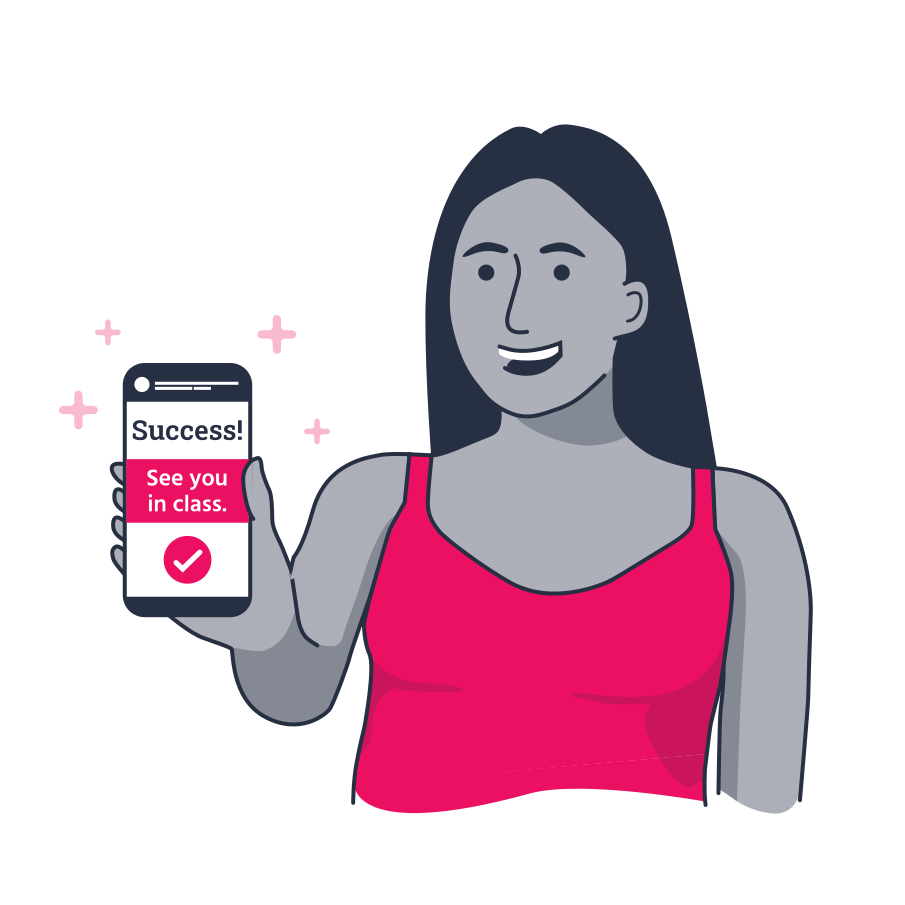

Schedule appointments at a time that works best for both you and your clients. Appointments run side by side with classes, giving your clients the choice to book one, the other, or both.

Include appointments in existing or new memberships, create one client profile for all class and appointment bookings, visualize all the important parts of your business in one TeamUp account.

Everything set up in a few clicks. Customers can book in for a single session or you can set up a recurring appointment for them from your dashboard.

Offer members the continuity of training on the same day at the same time. Determine the frequency and start and end date of the recurring reservation right from your account.

Less time spent on booking, admin, payments, and the little tasks that add up. More time for you to concentrate on what you do best.

Your clients know when you and your team are available and can book themselves in for a single 1:1 session from the app or website.
A powerful tool built to simplify the booking experience.

Sharing your availability with clients has never been easier. Trade complex admin, back-and-forths, and juggling multiple schedules with automatic confirmations, flexible scheduling, and more time to focus on the customer experience. You set your availability in your TeamUp account and either your clients directly book a single session that works for them or you schedule a recurring appointment on their behalf.
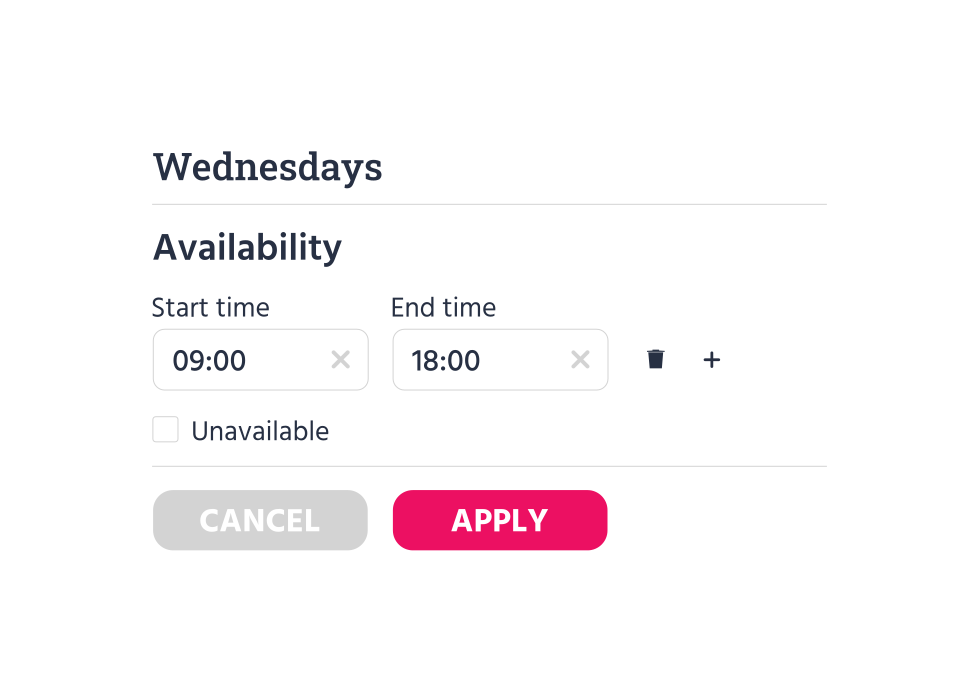
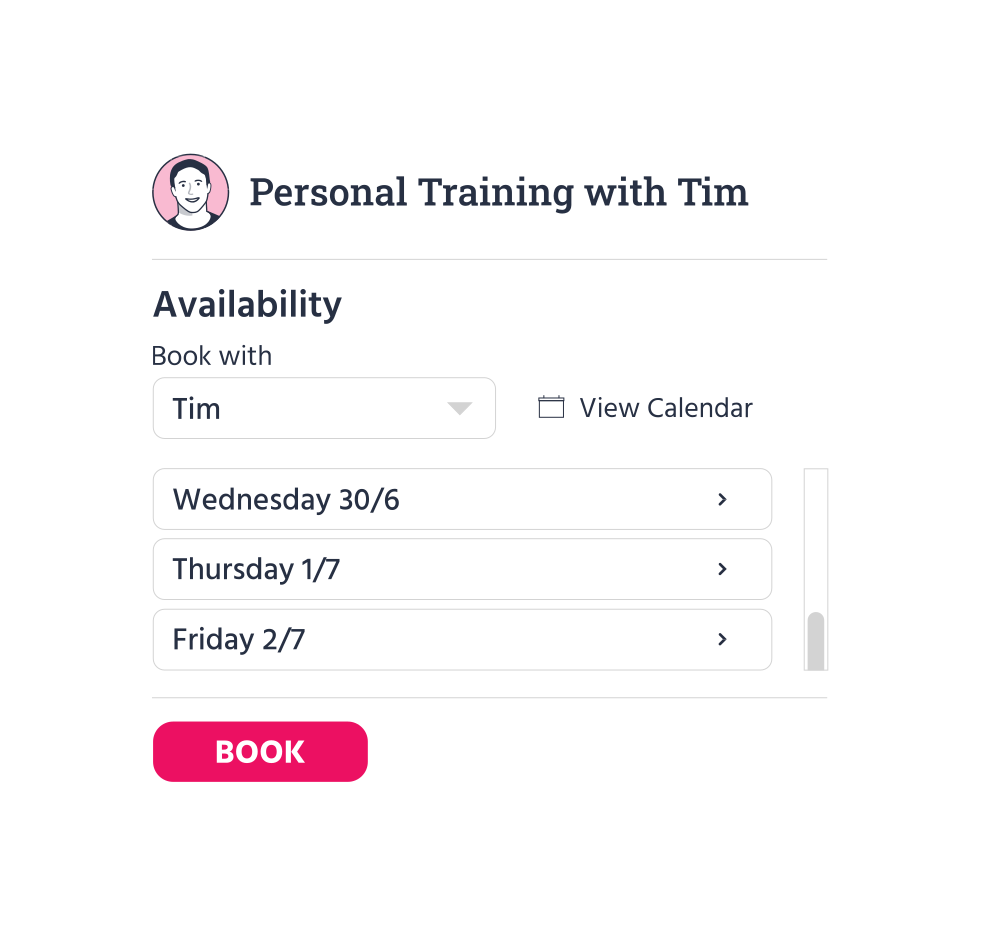
The simplified appointment booking experience will encourage clients to book one-on-ones with you. With your availability clearly displayed, it's easy to find a time that works for you both. Clients can book sessions on the go from the customer site, while from your TeamUp dashboard you can reserve a recurring appointment for them, scheduling a slot every week, every other week, every three weeks, or monthly.
Trade complexity for clarity and easy to find details regarding appointments, client information, payments, memberships, and more. Whether your clients choose to manage their single 1:1 session bookings online or you schedule them in for a recurring appointment for a consistent training routine, you see appointments added to your calendar as soon as they're booked.
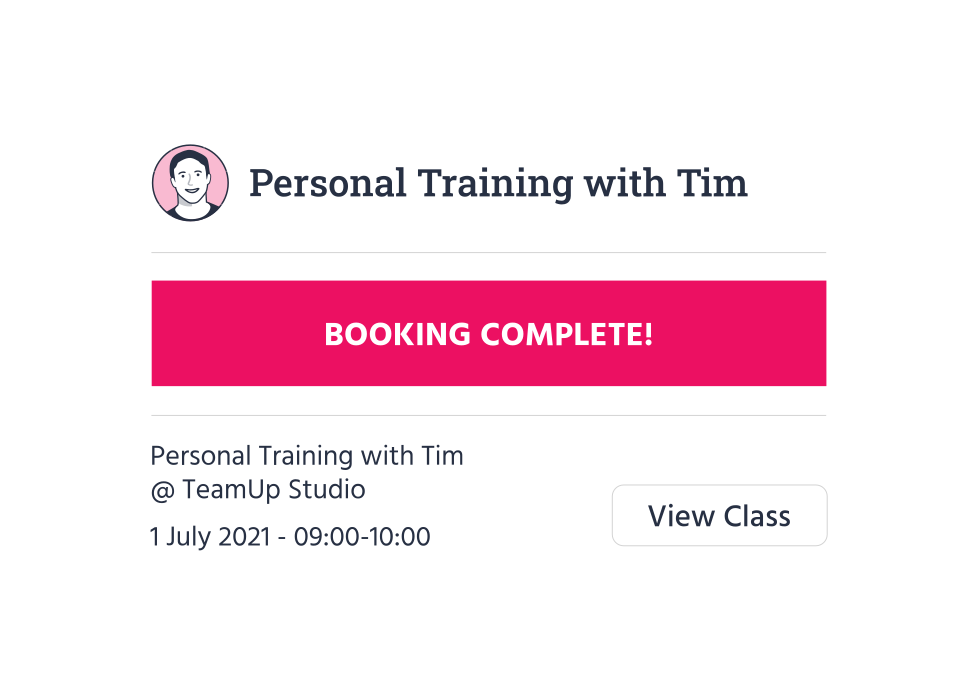
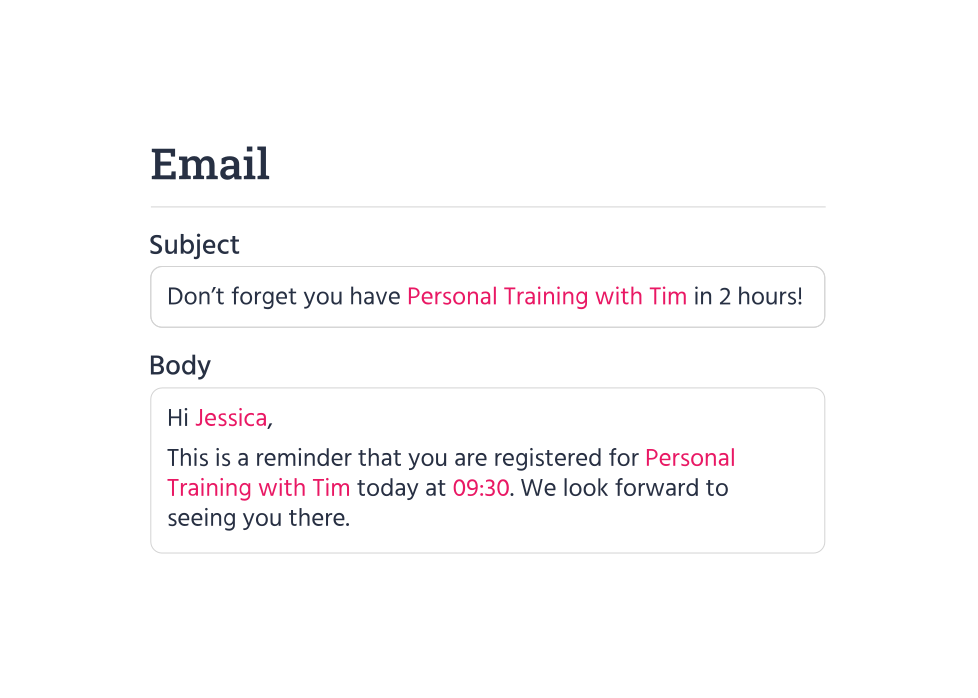
Reassure clients and eliminate endless and repetitive messaging about appointment times and locations. Answer upfront questions in a timely way with automated confirmations and pre-class notifications right to their inbox. A quick and helpful "see you today" or "don't forget about our appointment" helps keep clients accountable for their appointments with you.
You and your instructors can create schedules for each of your appointment types and segment your hours of availability based on that appointment type. Let customers see only available time slots for the appointment types included in their packages and make it easy for you to know which instructors are available and when.
-1.svg)
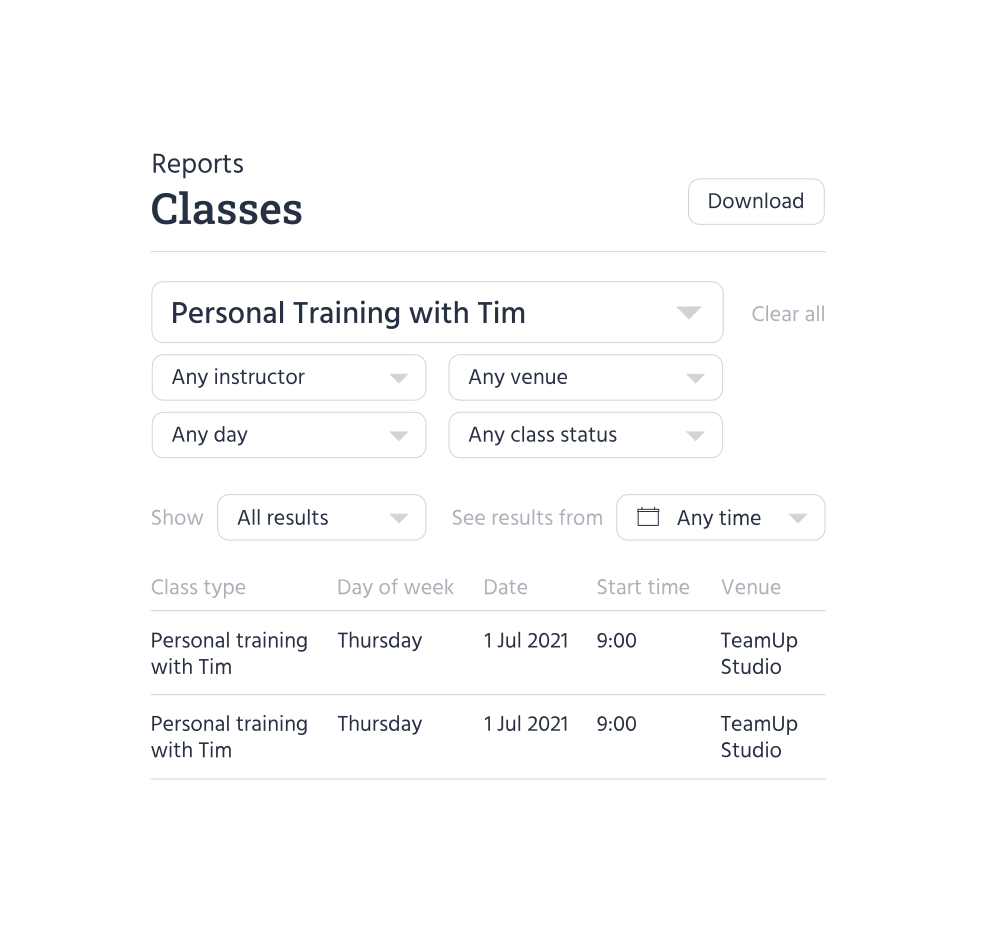
Make better-informed decisions for your business with TeamUp's comprehensive reports. See when clients book appointments, monitor the success of a specific appointment type, track which instructors are running the most sessions, and know what's working best.
Customize your appointment types specifically for your business and service. Provide your clients with one-on-one personal training sessions, consultations, and progress check-ins to give them the value of a high-quality service, designed according to your schedule and availability.
The Rooms feature allows you to assign appointment types to specific rooms in a venue. Avoid double booking and ensure there is always a professional start to every session for your clients.
In-person or online, you have full control over your offering and how you deliver any mix of appointments and group classes. Notifications and quick on-the-go access make it so your clients don't have to follow up with you and know exactly what they have booked and when.

Having one place to manage your memberships, payment methods, form and waiver collection, and client details will add value to both your and your clients' experience. Clients will love how quickly it is to go from registration to confirmation, and you can enjoy the benefits of a system that works for you in all aspects of your business.
Clients can gain access with their new membership to your facility in real time

Set up smart locks at every entry point of your facility for optimal security
Set and manage instructor access permissions

Mark off attendance or no-shows on any device and know who is coming through your door

Reminders and pre- or post-class notifications for clients and coaches

Set up access for memberships and upcoming registrations for classes, appointments, and courses

Set client forms or waivers per membership prior to class day and give them access ahead of time

Disable non-paying or late payment members from entering until they've paid

Customize access groups and access periods by membership type

Make it easy for members to scan in and come to class on time

See which access groups clients are in on their profiles and memberships

See when and what your members are booking and know when they'll be coming to your facility

Native App for iOS and Android included and synced with your smart security

Track your most popular access periods and usage

Enjoy all the core TeamUp features, regardless of your price plan

All the integrations you need including Kisi to enable your smart security

Manage your memberships and their access all in one place

Automate all communications - just turn up and get ready to start class

Manage popular time slots automatically, messaging via mobile app or email with access updating in real time

Members refer new members to your business daily

Promote classes and one-on-one sessions directly on social media with discount codes



Everyone! You have the ability to set the visibility of your appointments either to everyone, memberships only, or business only. Setting it to memberships only will allow only members to see and business only will require you to send the shareable booking link to specific people. You can edit the visibility of your appointments at any time and even customize them to only be available to specific memberships. This will require clients to purchase this membership if they would like to register for one of your appointment types.
Yes, you can book a client in for a recurring appointment from your TeamUp dashboard. Set the repeat frequency (every week, every other week, every three weeks, every month) and determine the start and end date of the recurring reservation. Check out our support guide or interactive demo for help scheduling a recurring appointment.
Clients can continue to book themselves in for a single 1:1 appointment from the customer site.
Yes! TeamUp has been designed with flexibility in mind. You can set up your schedule to cover all of your scheduling needs.
Good question! TeamUp offers several registration types — appointments, classes, and courses. Classes allow multiple attendees and are scheduled at fixed times. Appointments are built for one-on-one sessions with your clients and are scheduled based on the availability you set. They are available to book in your Appointments section of the customer site and it will only appear for you and your client in the calendar once an appointment has been made and confirmed. All of your TeamUp features including memberships, payments, collecting forms and waivers, and reporting work the same for appointments as they do classes. They are simply two different types of offering.
Yes, just like your classes you can also host your online appointments via Zoom when your venue for the appointments is your Zoom meeting room. To learn more about running your online appointments with TeamUp's Zoom integration, check out our guide here.
Not at all! While this tool is best suited for fitness businesses, such as personal trainers that typically offer one-on-one sessions, all TeamUp customers can use this tool for any appointment needs in their business, for example, consultations, initial assessments, check-ins, private classes, and so on.
Yes, you can! With the new Appointment feature also comes TeamUp's newest addition to venues — rooms. You can now add rooms to any venue so that when you create an appointment type you can assign that type to a specific room or space in the venue. You can even assign multiple rooms to an appointment type to allow for extra possibilities in case a room is already booked for a time your client wants to schedule an appointment. They'll get the next available room. You can edit this at any time if rooms are no longer available for that type.
The reporting for your Appointments tool and classes are the same reports, ie. instructor hours and attendances. You can customize each report by a specific appointment type in order to be able to find the data you are looking for.
All client information can be found in your customer list in your dashboard. Forms and waivers during the purchasing process allow you to collect valuable data from your clients including details, fitness history, preferences, and more before they even register for an appointment. If you ever need to verify or check information, you can do so by searching for that client in your customer list.
Availability won't be shown if the instructor is assigned to a class at the same time. This is automatic so even if an instructor adds a class, the availability will be automatically removed from their schedule so that there is no conflict.
Yes. This is especially desirable when the instructor wants some time to get to the next appointment. You can either select the appointments to start at specific time blocks or create a buffer before and after each appointment. Clients will not be able to book appointments during buffer periods unless an instructor changes the availability.
All booked appointments can be exported to their calendar preference in your settings. You can even connect each instructor's individual calendars to export their appointments.