How does it work?
Our SMS feature allows you to send automated messages for a range of scenarios and keep track of sent messages with a comprehensive report.


Enhance your communication and keep everyone in the loop effortlessly with TeamUp's SMS feature. Send instant waitlist updates, registration confirmations, event changes, and reminders directly to your members' phones.
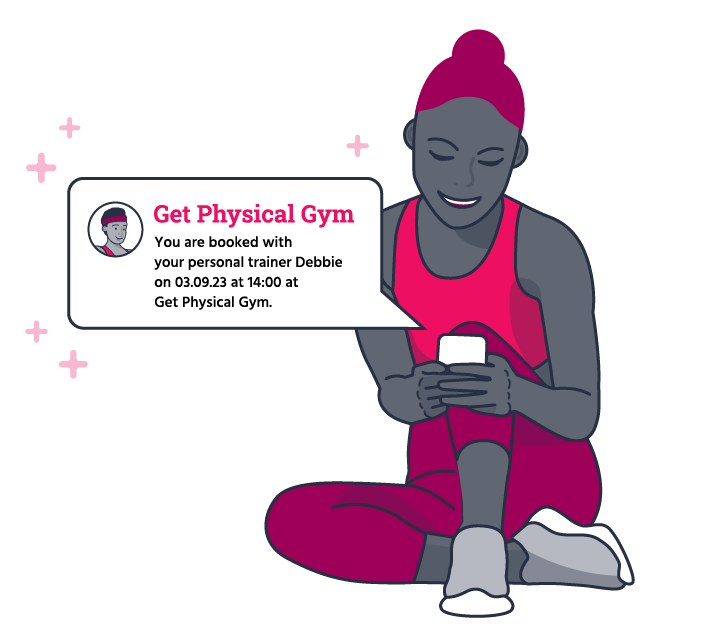

Our SMS feature allows you to send automated messages for a range of scenarios and keep track of sent messages with a comprehensive report.

Keep your customers informed about waitlist status updates in real time.

Send immediate confirmations for class or appointment registrations.

Notify your members instantly if there are any changes or cancellations in your classes and appointments.

Reduce no-shows by sending friendly reminders before scheduled classes or appointments.

Managing your messages is a breeze with the SMS report. This comprehensive report keeps track of all SMS messages sent to your customers within any given timeframe.
Click below to access your TeamUp account and enable the feature.

Having one place to manage your memberships, payment methods, form and waiver collection, and client details will add value to both your and your clients' experience. Clients will love how quickly it is to go from registration to confirmation, and you can enjoy the benefits of a system that works for you in all aspects of your business.

Clients can gain access with their new membership to your facility in real time

Set up smart locks at every entry point of your facility for optimal security

Set and manage instructor access permissions

Mark off attendance or no-shows on any device and know who is coming through your door

Reminders and pre- or post-class notifications for clients and coaches

Set up access for memberships and upcoming registrations for classes, appointments, and courses

Set client forms or waivers per membership prior to class day and give them access ahead of time

Disable non-paying or late payment members from entering until they've paid

Customize access groups and access periods by membership type

Make it easy for members to scan in and come to class on time

See which access groups clients are in on their profiles and memberships

See when and what your members are booking and know when they'll be coming to your facility
Native App for iOS and Android included and synced with your smart security

Track your most popular access periods and usage

Enjoy all the core TeamUp features, regardless of your price plan

All the integrations you need including Kisi to enable your smart security
Manage your memberships and their access all in one place

Automate all communications - just turn up and get ready to start class

Manage popular time slots automatically, messaging via mobile app or email with access updating in real time

Members refer new members to your business daily

Promote classes and one-on-one sessions directly on social media with discount codes
To enable SMS Automations on your account, click below.
With TeamUp's SMS feature, you can send instant updates for waitlist changes, registration confirmations, class/appointment changes or cancellations, and pre-class/appointment reminders. Keep you members effortlessly informed and engaged.
The SMS feature is an add-on, and a per SMS message rate applies. You'll be billed on a monthly basis along with your TeamUp subscription. But don't worry, you can enable or disable this feature at any time to suit your needs.
TeamUp's SMS feature currently supports the United States, Canada, United Kingdom, Spain, France, Germany, Ireland, and Netherlands.
For a step-by-step guide on enabling and setting up SMS notifications, click here. It's quick and easy to get started!
Tracking your automated messages is simple! Just head to the SMS messages report in your TeamUp account, where you'll find a comprehensive list of all SMS messages sent to customers within any timeframe.
We do not currently support two-way messaging.
A per SMS message rate applies, and you will be billed on a monthly basis with your TeamUp subscription*. You can enable/disable this feature at any time.
*There is a monthly minimum spend of $15/£10/€15. If your monthly spend is less than the required amount, you'll be billed the minimum fee.
Yes! With our Broadcast SMS notifications, you can send bulk messages straight to your customers' phones. To get started, check out our support guide. Current per SMS message rates apply.